How to make sure Google and ChatGPT find you webpage

After you generate many pages, there are two simple things you should do so Google can actually find and index those pages. Think of it like making sure Google can enter your site and see everything inside.
1. Add a link to your hub page in the homepage navigation or footer
Add a link to your hub page in your website’s main navigation menu or footer. The link text can simply be “Articles.”
Navigation Bar Example:

Footer Example:
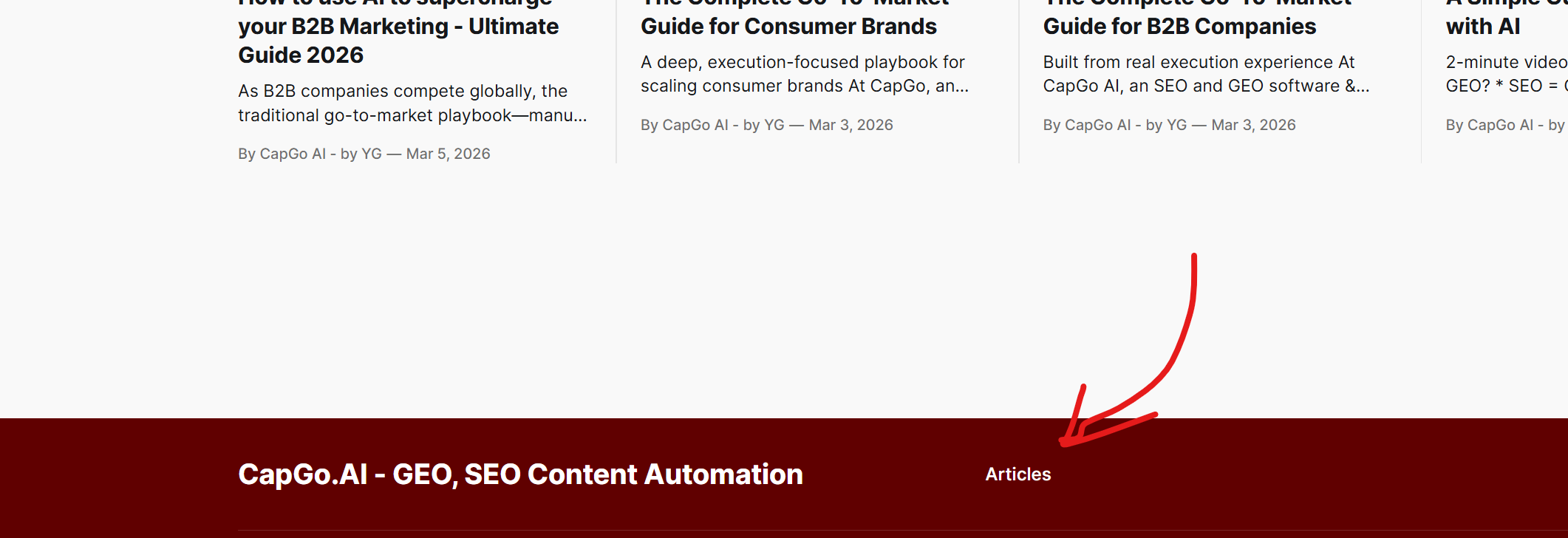
Why this matters
If your hub page is linked from the homepage:
- Google can quickly find the hub page
- From the hub page it can discover all the pages you generated
- It tells Google that these pages are important because they are connected to the main site
If the hub page is not linked anywhere, Google may take a long time to find those pages.
2. Submit the sitemap to Google Search Console
Submit your sitemap link to Google Search Console.
Why this matters
Instead of waiting for Google to slowly discover pages one by one, you can directly give Google the list and say:
“Here are all my pages. Please crawl them.”
This is especially important when you generate hundreds or thousands of pages.
How to do it
- Go to Google Search Console: https://search.google.com/search-console/about
- Select your website.
- Click Sitemaps in the left menu.
- Paste your sitemap URL (xxxx).
- Click Submit.
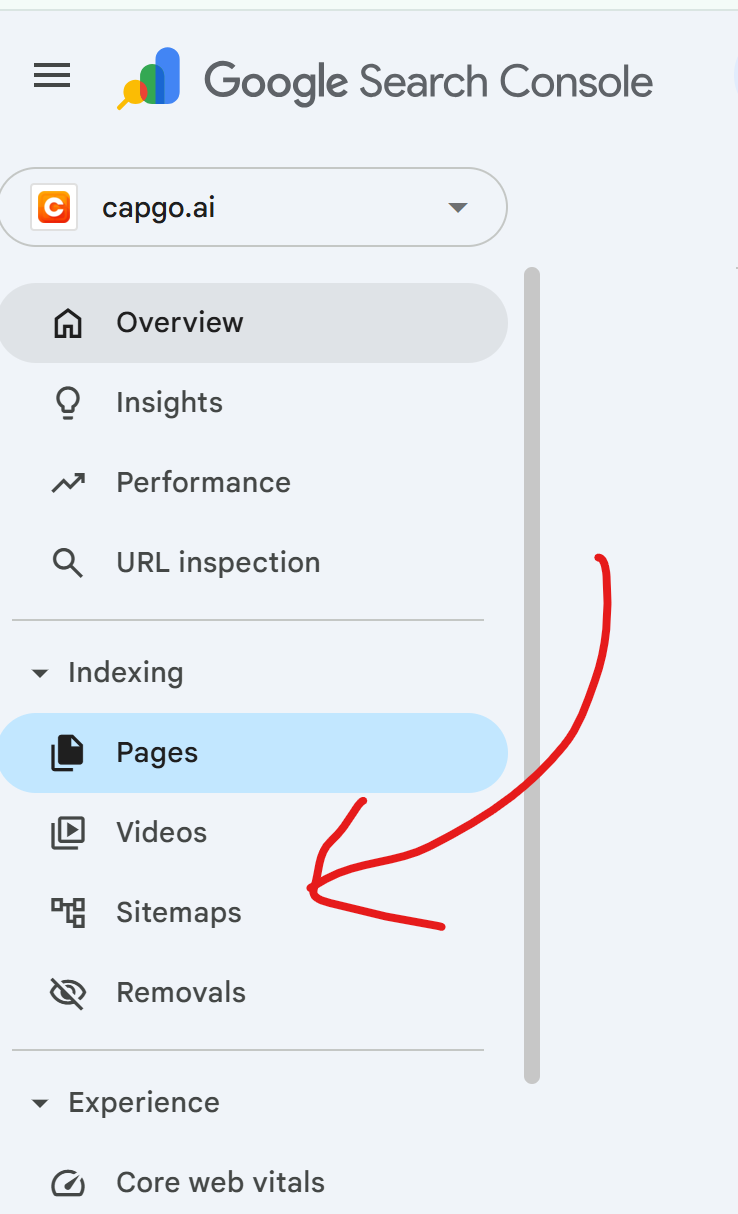
Google will then start discovering and indexing those pages much faster.
Simple way to remember
- The homepage link helps Google find the entrance to your content.
- The sitemap gives Google the full list of pages to crawl.